

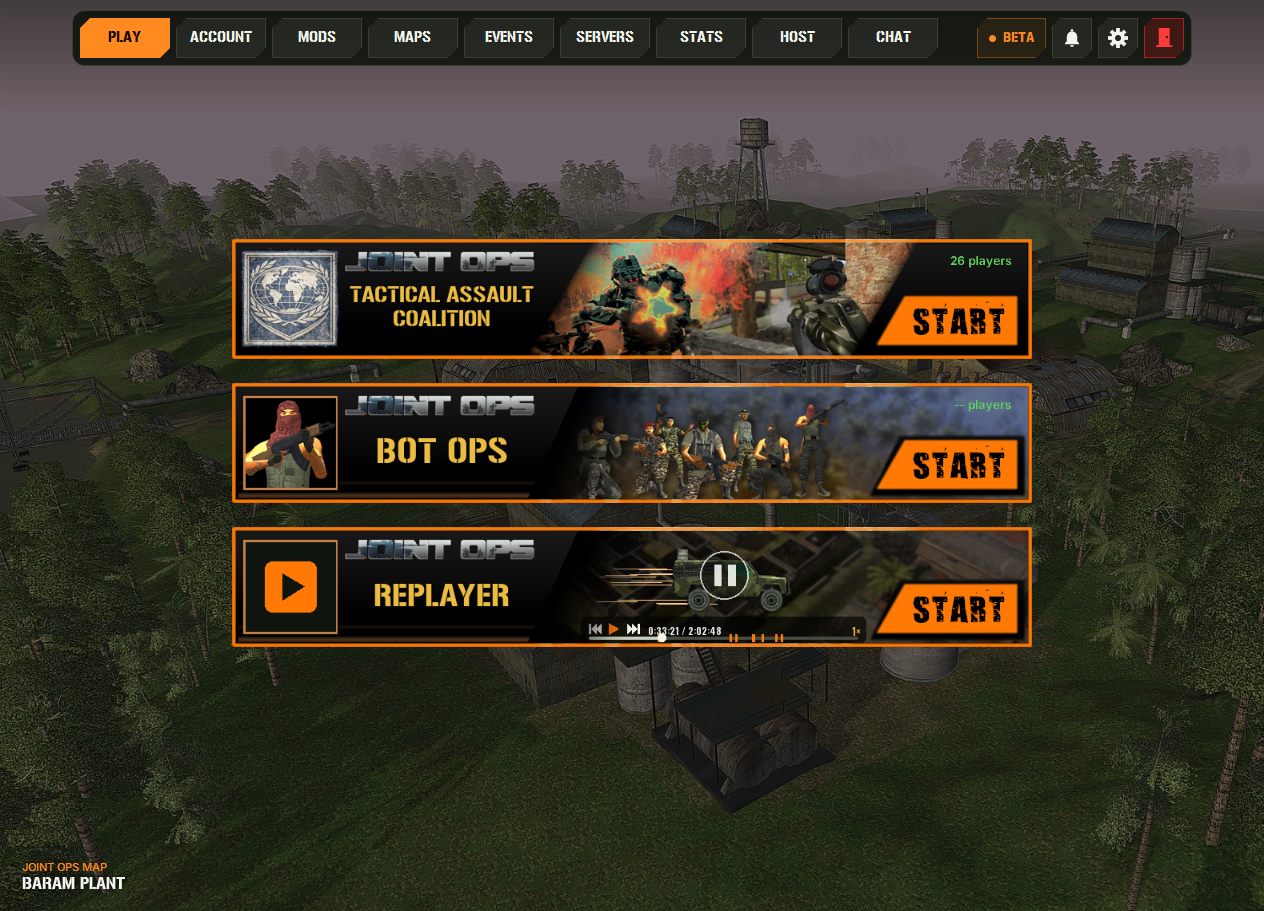
The new JO:TAC launcher is out! We rebuilt it from the ground up, and it puts everything around Joint Ops: TAC in one window: play, find a server, host your own, get new maps, sign up for events and follow your stats. You don't need Steam, and there is nothing else to install.
Download the JO:TAC launcher Open JO:TAC HQ
What's inside the new launcher
- PLAY – start JO:TAC with one click. The banners show how many players are in game right now. BotOps (beta) and the Replayer start from here too.
- SERVERS – every JO:TAC server with its flag, map, game type, players and time left. Click a server to see who is on it, then hit JOIN. Tick Show bots if you also want to see the BotOps bots.
- HOST – run your own server right from the launcher. Public servers show up in the server list and count for the stats, and a built-in test tells you if players from outside can reach yours.
- MAPS – browse the community maps, install and update them with one click, build map lists for your server and upload your own maps (they go live after a quick review).
- EVENTS – upcoming events with a countdown and the players who signed up. Click Register & remind me and you get an e-mail before it starts.
- STATS – the TOP 50 (all time, this week and the weekly gainers), your own stats with rank, weapon and vehicle mastery, daily and weekly challenges, the Hall of Fame and the history of every round with a full round report.
- REPLAYER – watch recorded rounds again, give them a thumbs up and leave a comment.
- CHAT – the chat is shared with our Discord, so you can talk to everyone without leaving the launcher.
- ACCOUNT – up to two player names per account. Pick the one you want to play with.
- Updates and news – the launcher tells you when an update is ready and installs it for you. The bell shows our announcements.
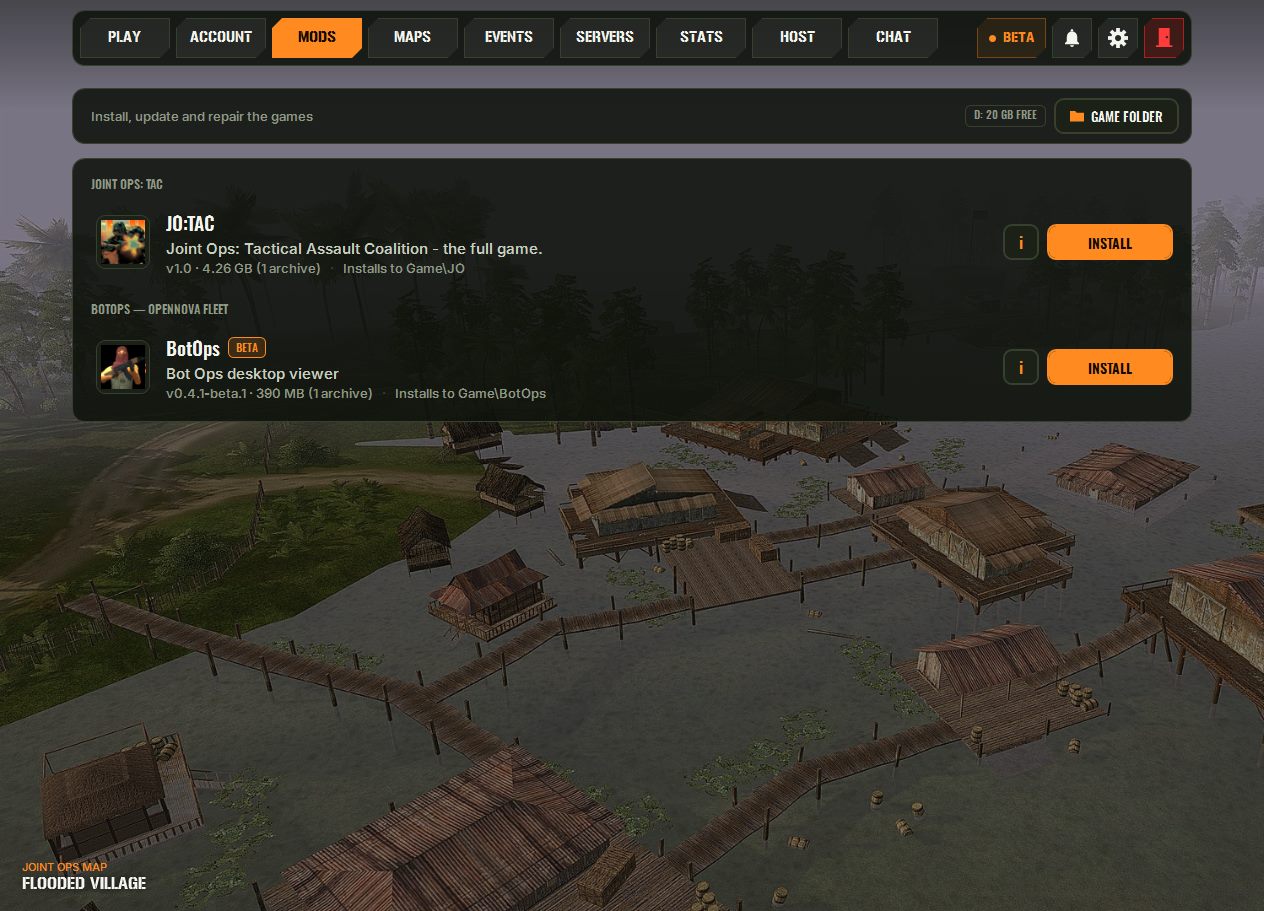
Get started
- Download JOTAC_Setup.exe (1.8 MB) from the download page.
- Run it. It installs the launcher to
C:\Games\JOTAC(you can pick another folder) and downloads JO:TAC (4.6 GB). If your connection drops, the download carries on where it stopped. - Sign in. Already playing JO:TAC? On the same PC the launcher knows you, and you keep your player name, with no new activation. On a new PC you confirm once with a code sent to your e-mail. New players just need an e-mail address.
- Press PLAY.
You need Windows 10 or 11 (64-bit) and 9.7 GB of free space while installing (5.1 GB afterwards).
JO:TAC HQ – your stats on your phone
Want to check the servers or your stats when you are away from your PC? JO:TAC HQ brings the launcher's stats, servers and events to your phone's browser. You don't need an app store, an account or a password: type your in-game name once and it remembers you on that device.
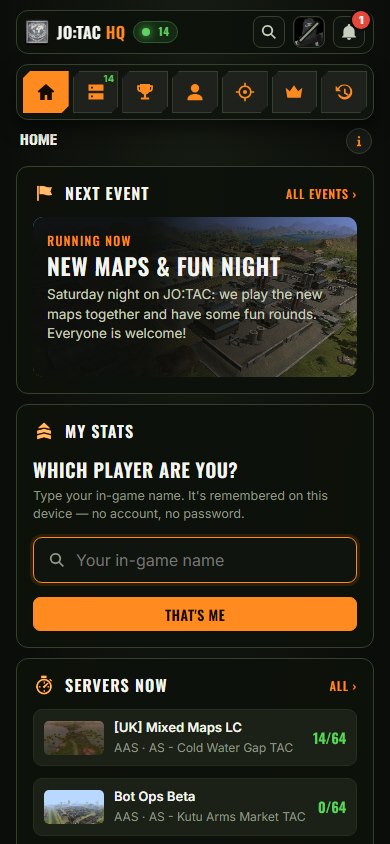
- Home – the next event, your stats, the busiest servers, the top 5 and this week's challenges at a glance.
- Servers – who is playing where right now, plus the players who were online recently.
- TOP 50 – all time, this week and the weekly gainers.
- My Stats – rank, EXP, K/D, weapon and vehicle mastery, your best maps and your kill feed.
- Challenges, Hall of Fame and History – with a full report for every round.
- Search and the bell – find any player, and get the same announcements as in the launcher.
Fresh start: the stats were reset for the new launcher, so the TOP 50 is wide open. Every round you play from now on counts.
Open events.jo-tac.com on your phone and tap INSTALL APP, so JO:TAC HQ is always one tap away. It works on your computer too, and jo-tac.com/stats takes you there as well.
Get a ping when a server fills up
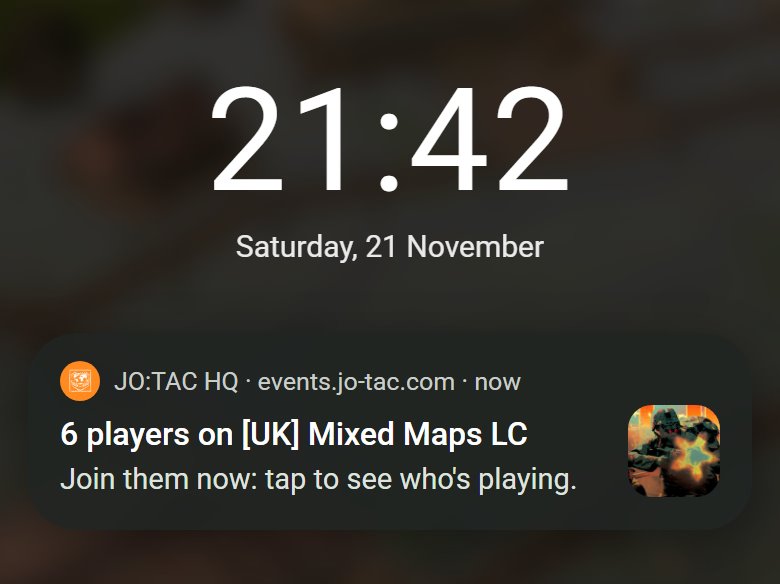
Go to SERVERS, switch PLAYER ALERTS on and tap Allow. As soon as a server has more than 5 real players (bots don't count), your phone or PC gets a ping like this one. Tap it to see who is playing, then jump in.
What you need:
- Android phone or computer (Chrome, Edge or Firefox): it works right in the browser, so installing the app is optional (but nicer). On a computer the ping arrives while your browser is open.
- iPhone or iPad (iOS 16.4 or newer): here you must install it. Open events.jo-tac.com in Safari, tap Share → Add to Home Screen, open JO:TAC HQ from your Home Screen and switch the alerts on in there.
- Notifications allowed: tap Allow when your browser asks. If you blocked them, allow them again in the browser's site settings for events.jo-tac.com.
- Every device on its own: switch the alerts on on each phone or computer you want pings on. No account and no e-mail needed.
You get at most one alert a day, so no spam. Send a test shows you right away that it works.
Questions, bugs or ideas? Tell us on Discord. See you on the battlefield!